What is 3dverse?
This article helps you figure out whether 3dverse is a good fit for you. We’ll introduce the platform at a high level so you get a feel for what you can build, and answer questions like “what do I need to know to get started?”. Later guides dive deeper into concepts and APIs.
What is 3dverse?
3dverse is a cloud-native, 3D runtime + platform for building real-time 3D web applications. The 3D scene runs in a cloud rendering session and streams into an HTML canvas via Livelink.js (the 3dverse Javascript SDK), with bi-directional events and state. Multiple clients can join the same live session.
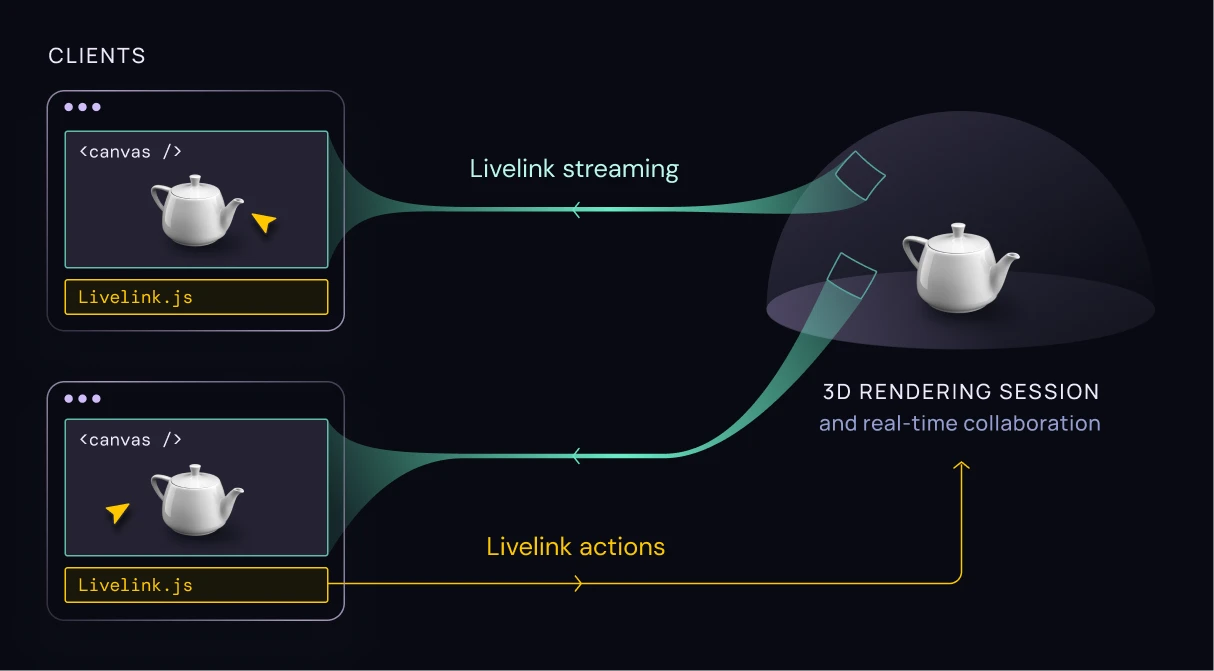
Applications are decoupled from the 3D world: assets, scenes, and sessions live on the platform, and your app is just one of many ways to interact with that shared world.
What are some examples of 3dverse apps?
3dverse is used to build real-time 3D web apps that stream from the cloud to any device, with multi-user collaboration and an API-first workflow.
3dverse has been used to build a wide variety of app types: digital twins, design review, factory training/simulation, video games, cultural experiences, and robotics visualization.


What does the development process look like?
You will design and create 3d worlds in the Console which is accessible via browser. In the Console you can invite and handle permissions of team members.
The Console exposes an Asset Browser where you can upload and organize files.
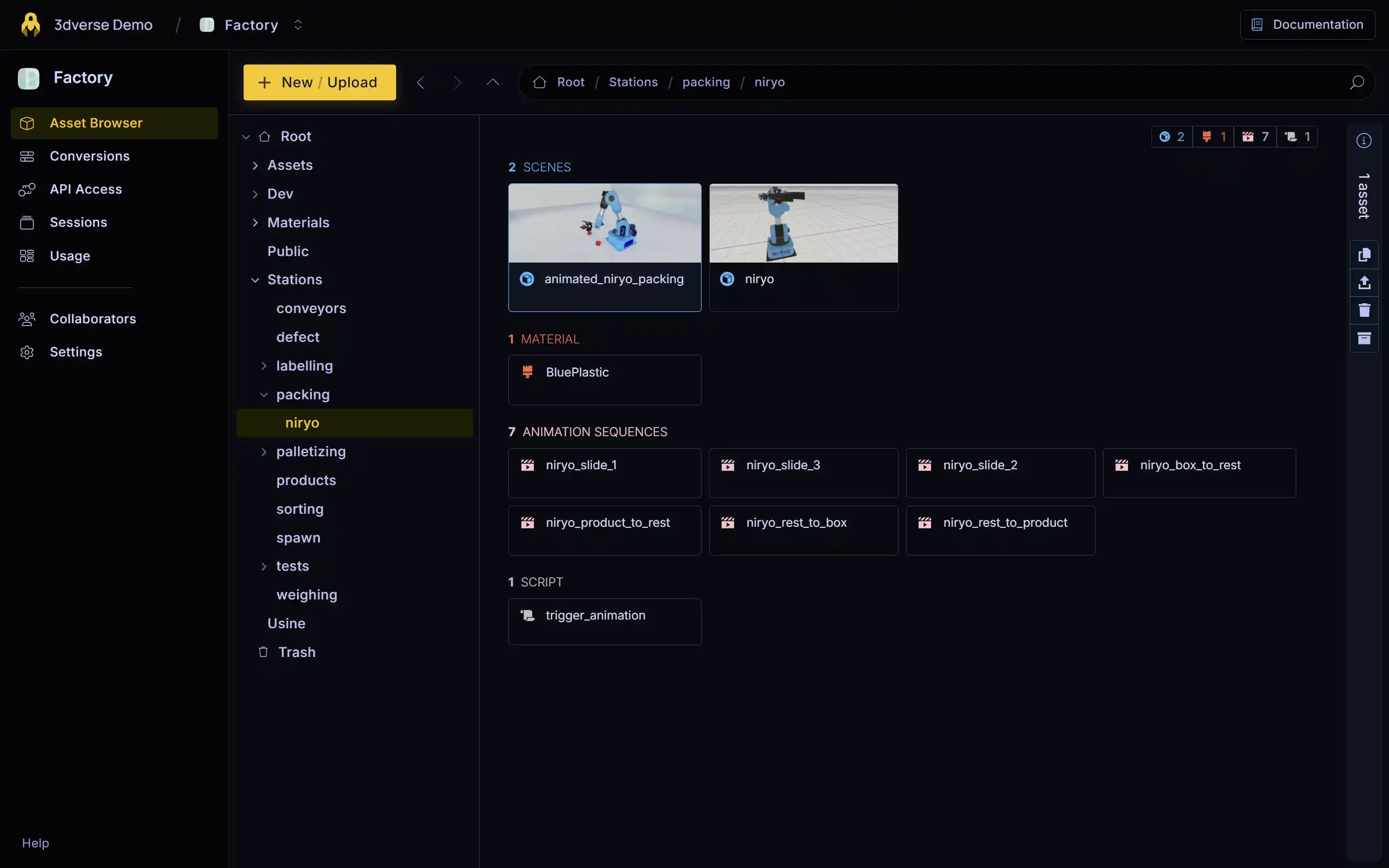
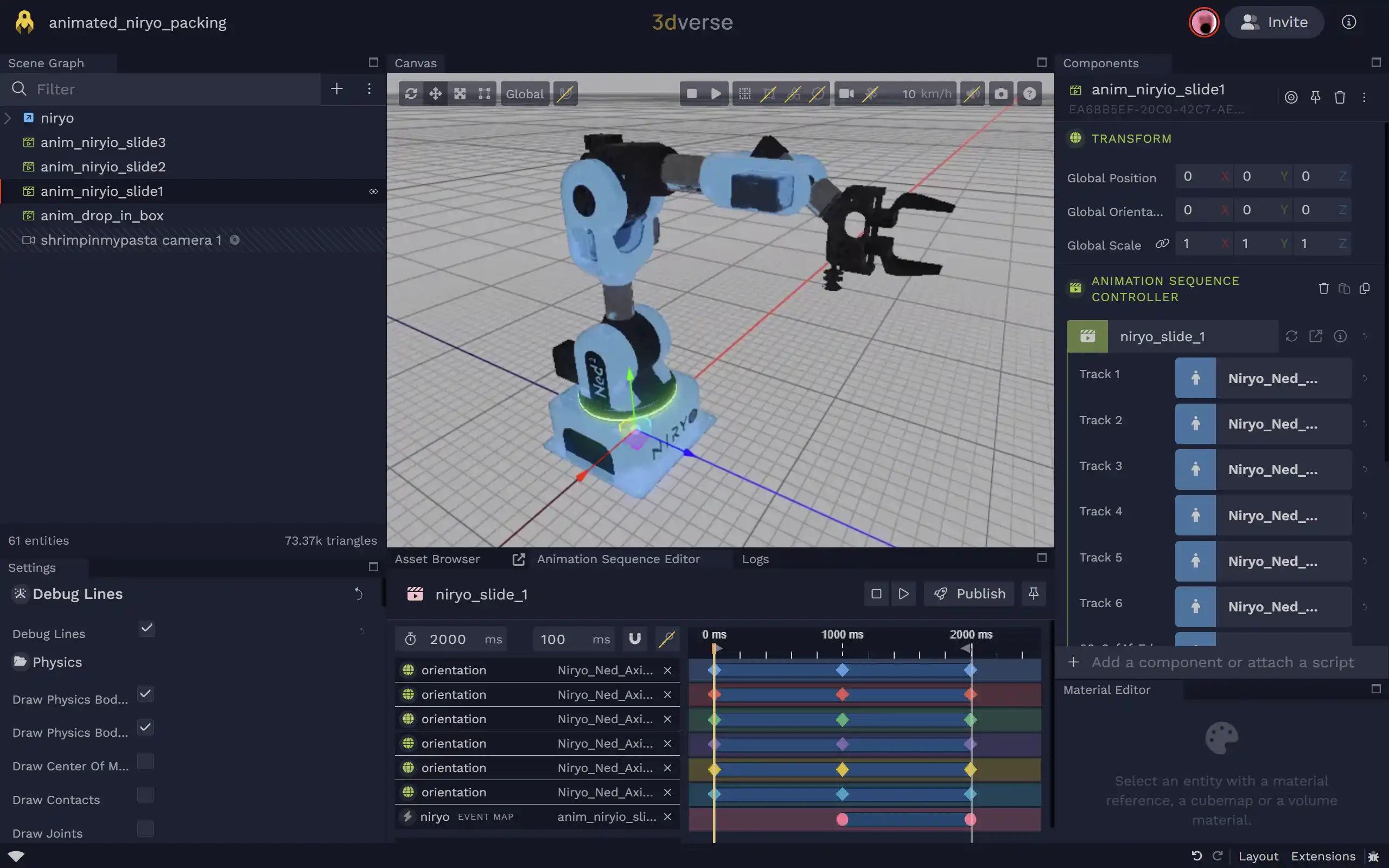
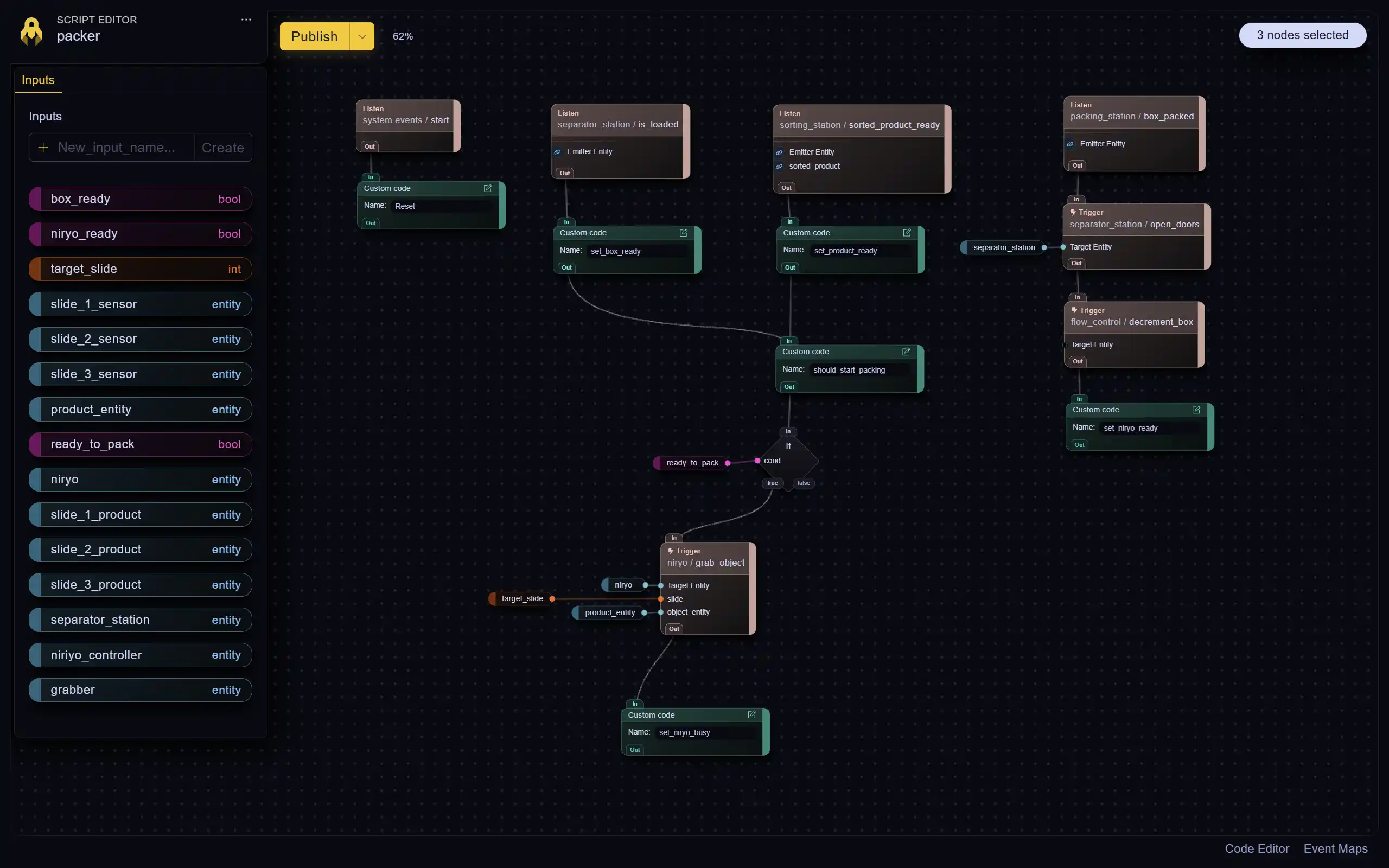
You can arrange and iterate over your 3d world using web-based Asset Editors such as the:
- Scene Editor (often just referred to as the Editor)
- Script Editor
- Animation editors
- etc.
These editors are all accessed via the Console.
You can collaborate with other team members in the Editor at the same time, and see their edits live as they happen.
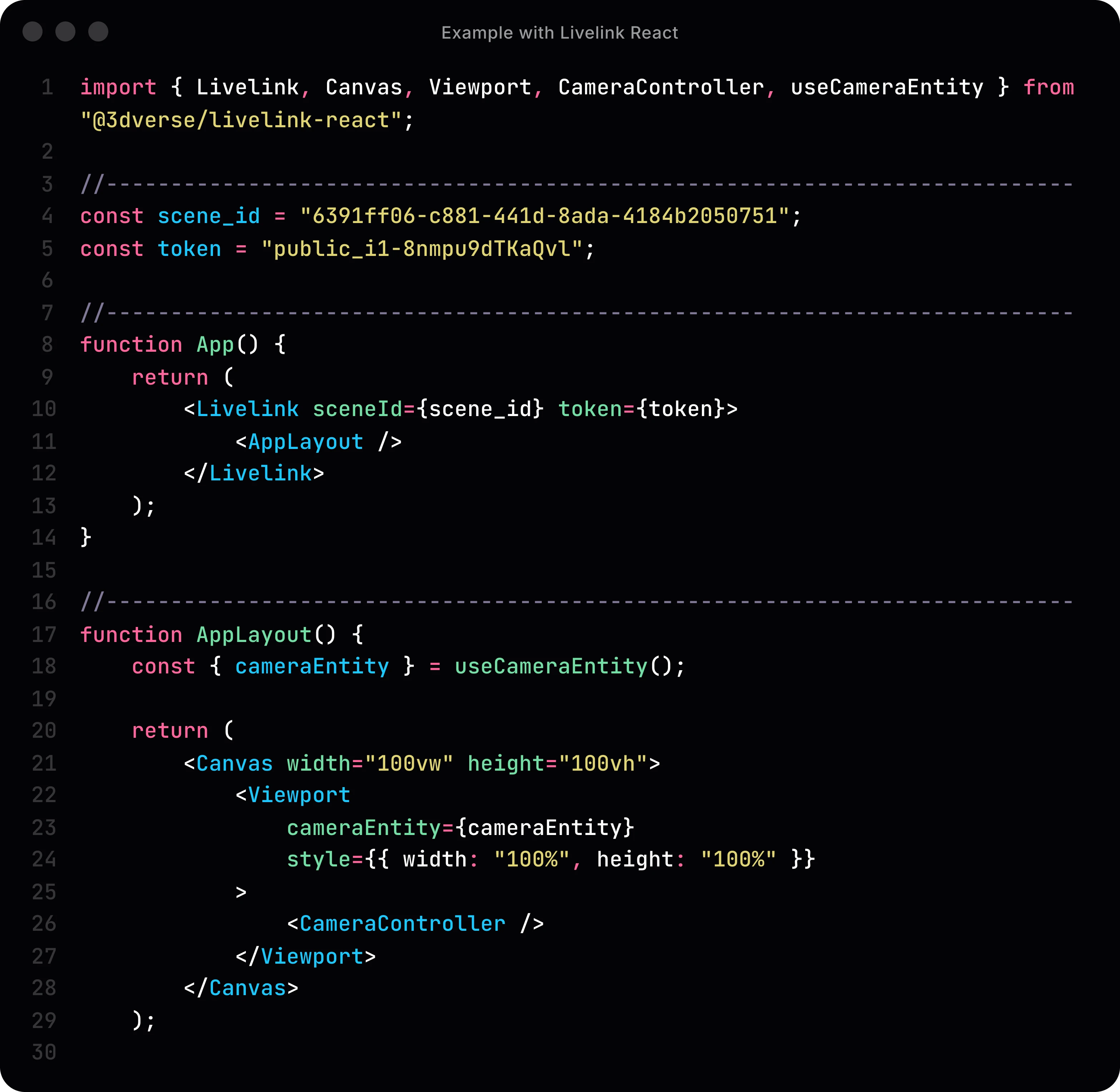
To create the final 3dverse application, you will create a web app using Livelink to create/join sessions, display the streamed frame in a canvas`, send inputs, and subscribe to scene events/state.
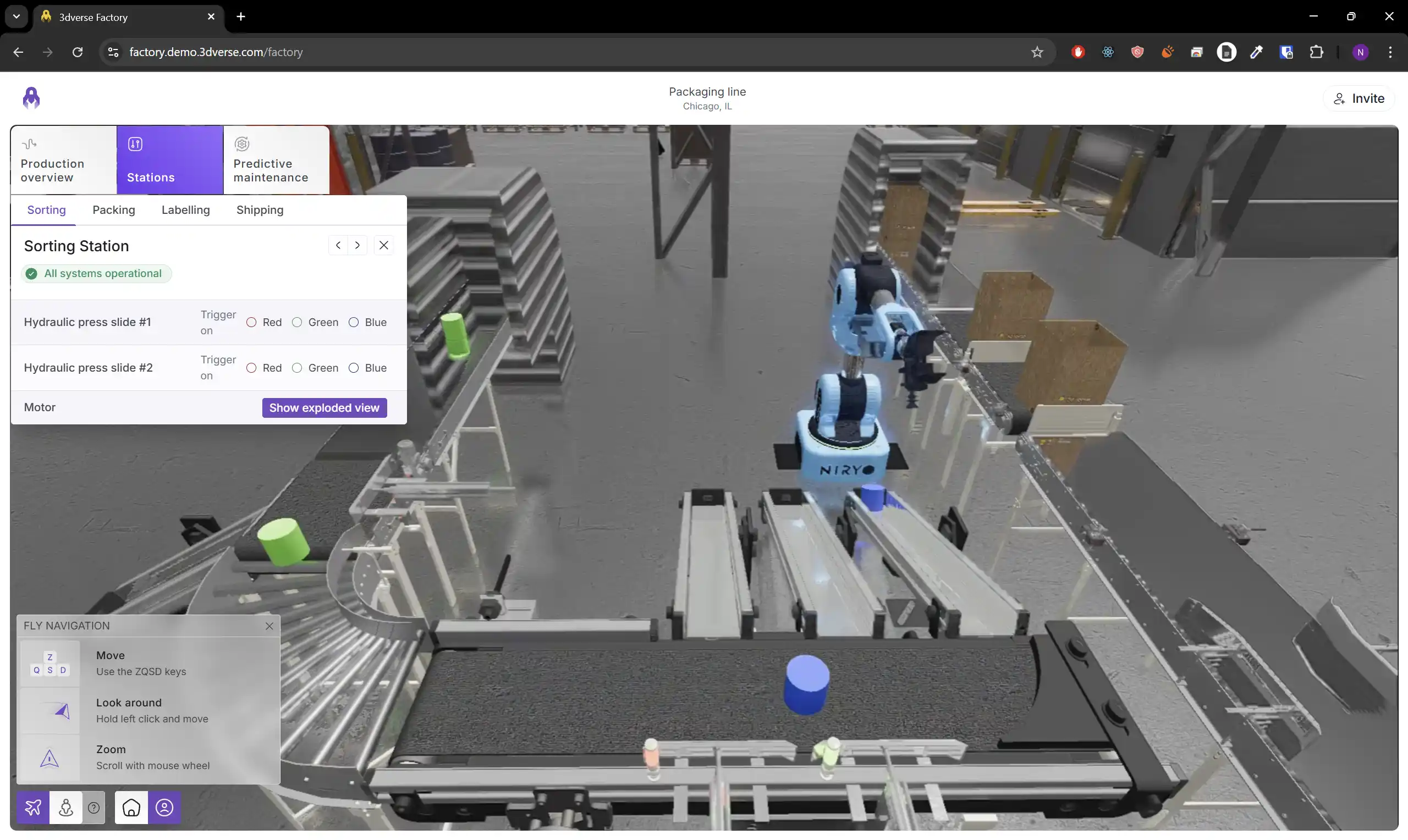
Your final 3dverse application will be a web app which streams a rendered and interactable 3d scene from the cloud!
Unique Benefits of 3dverse
3dverse offers some game-changing benefits to ease workflow and facilitate deployment and versioning. Here are just a few:
Collaborative
3d sessions run on the cloud, and can host multiple clients. This means:
- your workflow is collaborative. Multiple team members in a project can work on the same scene in the Editor and see edits propagated in real time.
- your final application is made collaborative/multi-user with little effort. Multiple clients can visualize/edit the exact same 3d instance.
Device agnostic
3dverse is device agnostic and works across multiple devices, e.g. PC, smartphone, tablet, or XR headset. Any device capable of streaming video is sufficient to run a 3dverse web app. No need for a fancy GPU.
Made for the Web
The 3dverse Javascript SDK Livelink lets you embed scenes in any webpage.
Therefore deploying a 3dverse web app is as simple as deploying a web page, and the app is accessible to any user with an internet connection and the URL.
What do I need to know to use 3dverse?
- Web dev basics: JavaScript/TypeScript, React (recommended), Node.js/NPM (recommended)
- 3D concepts: scenes, entities/components, transforms, meshes/materials
- Basic knowledge is assumed in the Engine docs which documents 3D concepts in 3dverse
- 3dverse platform workflow: Console projects, Asset Browser uploads/conversions, opening editors, joining/creating sessions
- Basics are covered in 3dverse in 20 minutes and expanded upon in the Console docs and Editor docs
In the next part…
Jump into 3dverse in 20 minutes to create your first 3dverse app. You will:
- create a project
- upload a file/convert a scene
- open the Editor to inspect it
- write a tiny web app that joins a session and renders to a
canvas