BCn Compression

The quality of textures is an unarguably crucial component to the final quality of a 3d scene. In real-time 3D, texture assets need to be compressed to balance memory efficiency and visual quality. The challenge lies in making the correct conversion choices for a given texture, whether it be compression format, or color space considerations. This article assumes some familiarity with texture concepts in a 3D rendering context.

The Problem
Do we need texture compression? Short answer, yes.
The quality of textures is an unarguably crucial component to the final quality of a 3d scene. In real-time 3D, texture assets need to be compressed to balance memory efficiency and visual quality. Why you may ask? Haven’t GPUs evolved to handle a milllion billion threads and a million billion bytes of memory? Well, not exactly. (Check this fun blog for deeper insight into how many threads a GPU can actually handle).
Processors are getting faster and faster, but memory is falling behind in the race. As this article puts it:
Therefore texture compression is still worth the trouble; it reduces memory consumption and GPU processors can handle the extra work of decompressing.
Can we use common image file formats like JPG/PNG? Short answer, no.
When a texture is copied to the GPU, it is copied and stored in its compressed format, and when a shader samples a texture pixel (texel), the GPU decompresses it on the fly.
These two facts contend against the use of JPG/PNG. JPG and PNG images require decompression of large blocks or entire images to access any single pixel.
This means to read one pixel, the GPU might need to decompress megabytes of data. Do this millions of times per frame and rendering becomes impossibly slow.
This is where BC compression comes along. Although the BC compression ratio isn't nearly as impressive as JPG (it is typically 2-10x larger than JPG), its 4x4 pixel block structure that allows for on-the-fly efficient decompression.
BC Compression
BC stands for “block compression”. It slices images into 4x4 pixel blocks and compresses those blocks. Each block is self-contained and does not rely on other blocks to be decompressed.
There are seven BC formats: BC1 through to BC7. BCn is the umbrella term used to refer to all formats at once.
BCn formats are supported by all modern GPUs. Textures compressed in BCn format are decoded directly by GPU hardware during sampling. They live on the GPU in their compressed format (taking less memory) and their fixed-size block structure makes random access to any texel easy. Decoding a 4x4 BC block is relatively cheap, so each texel can be decoded on the fly.
Endpoints and Indices
BCn formats exploit the fact that small 4×4 pixel blocks typically have limited color variation. If you look at the brick texture above, and take any 4x4 block from it, it is likely that the pixels will have similar colors.
Each block stores two endpoint colors and assumes all other colors in the palette lie evenly spaced along a straight line between them in RGB space.
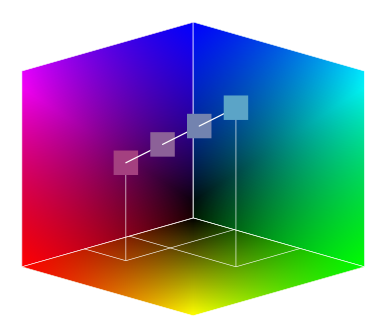
Pixels are then encoded as indices into this small palette (requiring only 2-3 bits per pixel), which determines how far along the line between endpoints each pixel falls. This works well for gradients and subtle variations but fails when three very different colors (like red, green, blue) appear in the same block.
Differences between BCn Formats
The differences between BCn formats are in channel usage and precision. Some BCn formats encode each RGBA channel, other format only encode one, two or three channels. Different formats will vary in the amount of precision used for the endpoints vs the indices for each channel.
With a 4x4 RGBA uncompressed block we start with 4 bytes per pixel, and therefore 16 * 4 = 64 bytes per block. When we compress the block, the channel usage and precision of the chosen BCn format will play into the compression ratio, i.e. how many bytes/pixel we can compress to.
BC1
BC1 stores RGB data using 8 bytes per 4x4 block, therefore 0.5 bytes/pixel. How do we get those 8 bytes? Each block has two 16-bit endpoints in RGB 5:6:5 format and generates a 4-color palette, requiring 2 bits per pixel.
BC1 is also able to store alpha through “degeneracy breaking” - read more here if the details interest you.
BC4, BC5
BC4 stores single-channel grayscale images using 8 bytes per block (same size as BC1). For each block it has two 8-bit endpoints and an 8-color palette, requiring 3 bits per pixel for indices. Compared to BC1, it has increased endpoint precision (8 bit vs 5-6 bit) and larger palette (8 vs 4 colors) but only works to encode single channel data (i.e. grayscale images).
BC5 stores dual-channel (RG) images. Each BC5 block is two BC4 blocks. That gives it a total block size of 16 bytes. These are useful for normal textures, which will be explained in more details below.
BC2, BC3, BC6, BC7
BC2 is no longer used. BC3 uses a combination of BC1 (for the color) and BC4 (for the alpha). BC6 and BC7 are more complicated but are also based on these simpler BCn formats.
Overview
Here is a simple table outlining the differences:
| Format | Bytes/Pixel | Channel Usage | Best Used For |
|---|---|---|---|
| BC1 | 0.5 | RGB or RGB + 1-bit alpha | Color textures |
| BC2 | 1.0 | RGBA (explicit alpha) | Legacy format, rarely used (BC3 is better) |
| BC3 | 1.0 | RGBA (interpolated alpha) | Color textures with smooth alpha gradients |
| BC4 | 0.5 | 1 channel (R) | Grayscale: height maps, gloss, masks |
| BC5 | 1.0 | 2 channels (RG) | Dual-channel data (e.g. normal maps) |
| BC6H | 1.0 | RGB (HDR) | HDR environment maps |
| BC7 | 1.0 | RGBA | High-quality color textures |
PBR Textures
3dverse materials use the PBR (Physically-Based-Rendering) workflow. The possible textures consumed by a PBR material are albedo, normal, metallic, roughness, emission and opacity. When you upload a 3d source file with textures to 3dverse, the textures will be assigned into one of those categories on the material.
Should we just compress all PBR textures to the same BC format? Short answer, no.

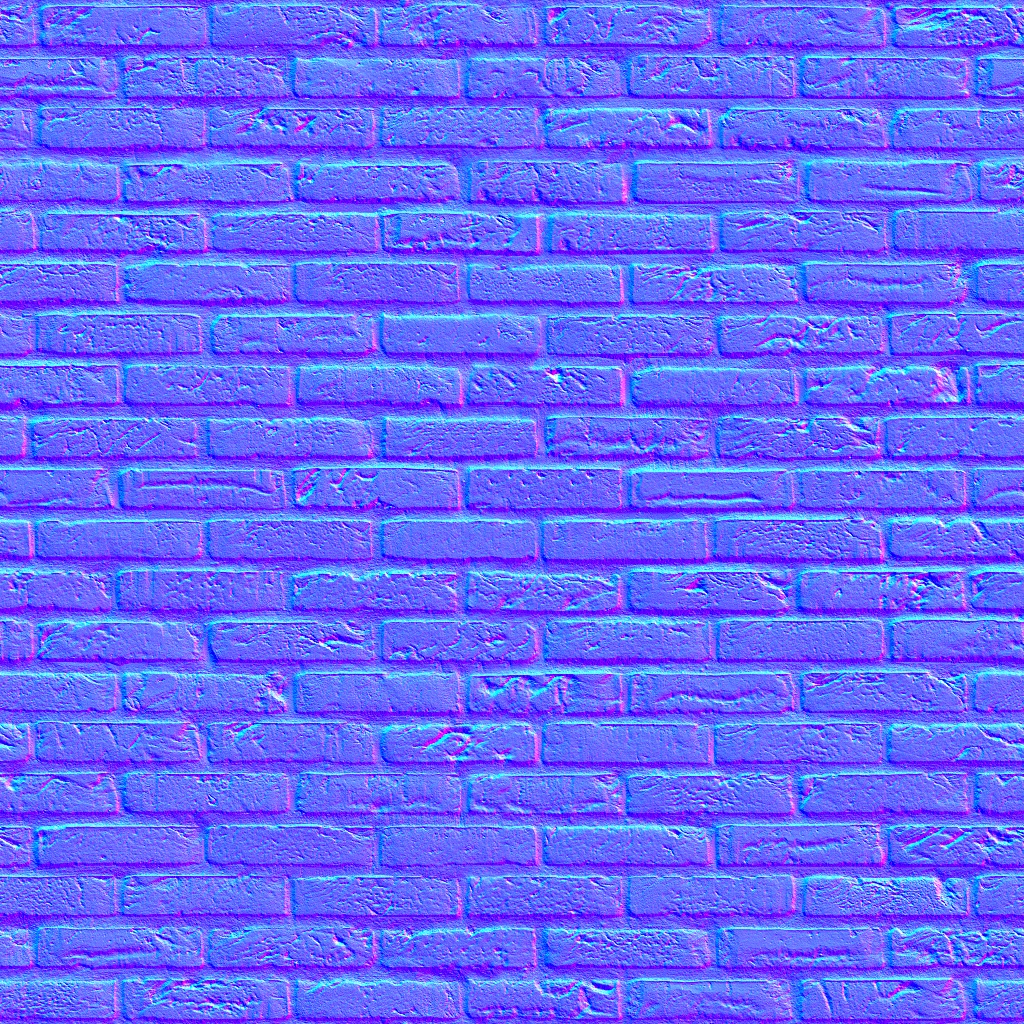
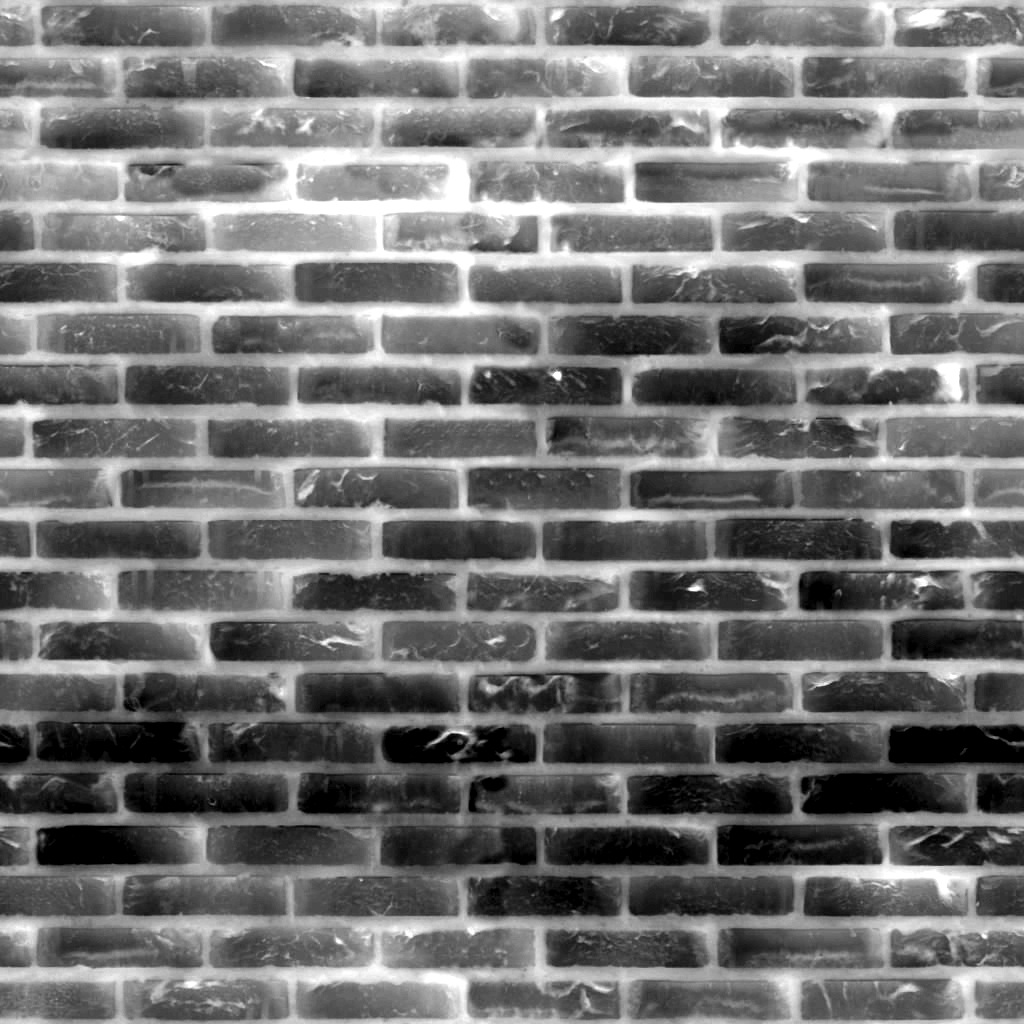
Different BCn formats have different compression strategies. The BCn format should be selected in accordance with the type of data that is expected to be stored. Albedo, normal, roughness, metallic, etc. textures differ in compression sensitivity needed as well as channel usage (RGBA).
Not too long ago, our de facto strategy for texture conversion was “one size fits all”. We converted all textures to BC3 format, and solidifying the texture conversion strategy was added to the list of TODOs. This article has the purpose of summarizing and justifying our new choices.
Which BCn Format to Pick For Each Texture Type
Using the table at the end of the BC compression section we can make an educated choice on the ideal compression format for each PBR texture type.
| PBR Texture Type | Description | Ideal BCn Format | Justification |
|---|---|---|---|
| Albedo | Base color (diffuse) | BC7 | BC7 for high-quality color with subtle variations |
| Normal | Surface detail normals (tangent space) | BC5 | Stores X and Y in RG channels with high precision (Z reconstructed in shader). More details about normals below. |
| Metallic | Metallic vs non-metallic | BC4 | Single grayscale channel. Often binary (0 or 1) but can have smooth transitions. |
| Roughness | Surface microsurface roughness | BC4 | Single grayscale channel controlling glossiness/matte appearance. |
| Ambient Occlusion | Baked cavity/crevice shadows | BC4 | Single grayscale channel. Low frequency data compresses well. |
It is important to note that it is often the case that the same texture is used for a combination of metallic/roughness/ambient occlusion slots. In that case, we can’t use BC4 for that texture as the single channel is not enough to contain all the data. If the texture contains data for two properties (e.g. metallic + roughness), BC5 should be used, and if the texture contains data for >2 properties (e.g. metallic + roughness + ambient occlusion), BC7 should be used.
Quick Aside on Normals
Normal vectors are unit length (length = 1), and so if you know any two components you can deduce the third one:
This does mean in your shader you will need to reconstruct z when you sample from the normal BC5 texture.
vec2 xy = texture(normalMap, uv).rg;
float z = sqrt(1.0 - xy.x*xy.x - xy.y*xy.y);
vec3 normal = vec3(xy, z);
Choosing BC5 for normal textures allows for greater precision per channel at the relatively small cost of having to calculate the Z channel at runtime. The payoff is worth it for normal maps which are very sensitive to compression artifacts.
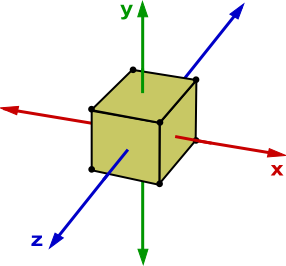
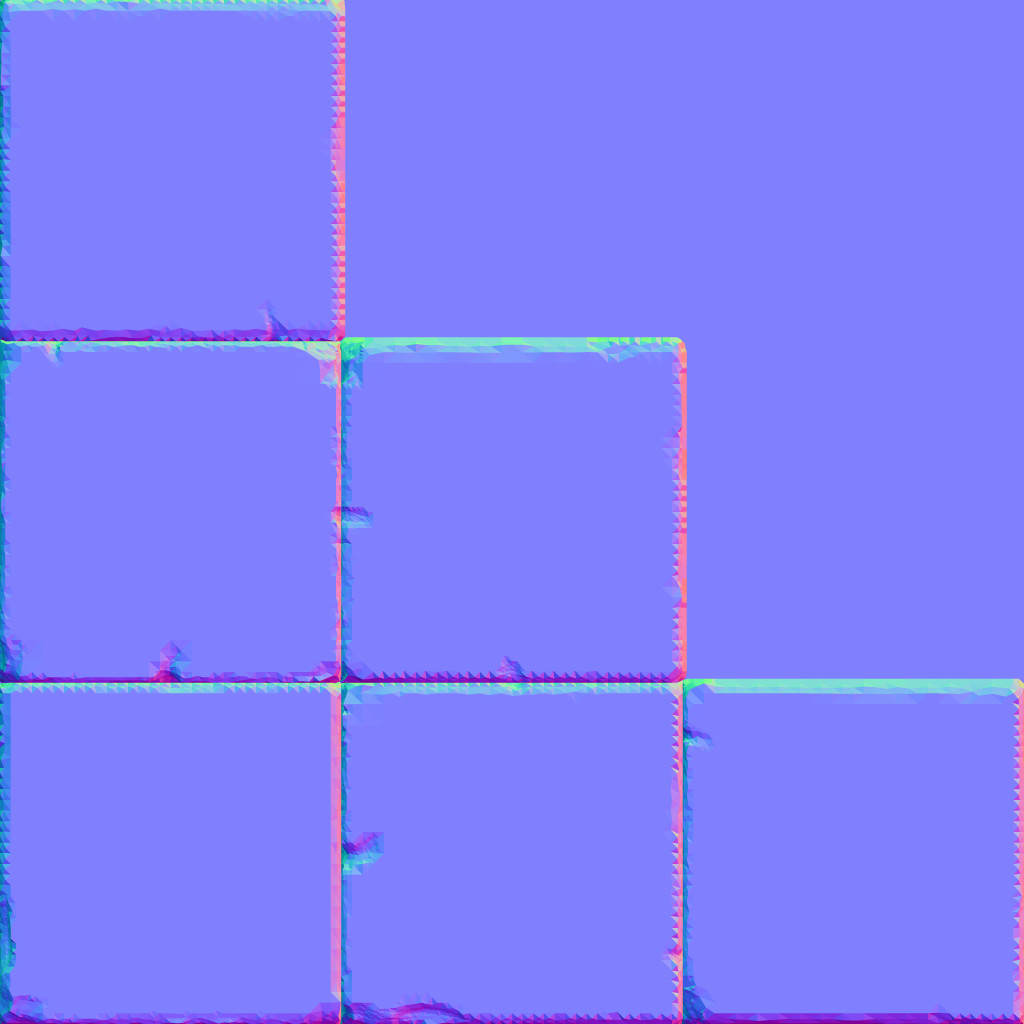
Each normal texel is encoded as RGB. Looking at the cube’s normal texture above, you can clearly make out the cube’s sides, but you would expect each side to be a different color. The normal of the top side should be (0, 1, 0) therefore should be green [0, 255, 0], the right side should be red ((1, 0, 0) → [255, 0, 0]), and the Z-facing side should be blue ((0, 0, 1) → [0, 0, 255]). However, normals are encoded in tangent space and not world space.
This means normals are encoded relative to the surface, where Z (0, 0, 1) represents a normal pointing straight out from the face. For most vertices it would make sense that the normal would be pointing straight out (such as for the sides of the cube) but why do we get periwinkle blue and not a royal blue?
The periwinkle blue does in fact correspond to (0, 0, 1) normal. However normals are encoded as signed values (to represent [-1, 1] range), and are therefore encoded in the texture by remapping them to [0, 1]. The conversion is:
texture_value = (normal_component + 1.0) / 2.0
So a normal of (0, 0, 1) becomes (0.5, 0.5, 1.0) in texture space, which in 8-bit RGB is (128, 128, 255) or #8080FF—the periwinkle blue color you see.